Interactive Take-off Sheet: Practice
Steps to complete this practice Take-Off Sheet:
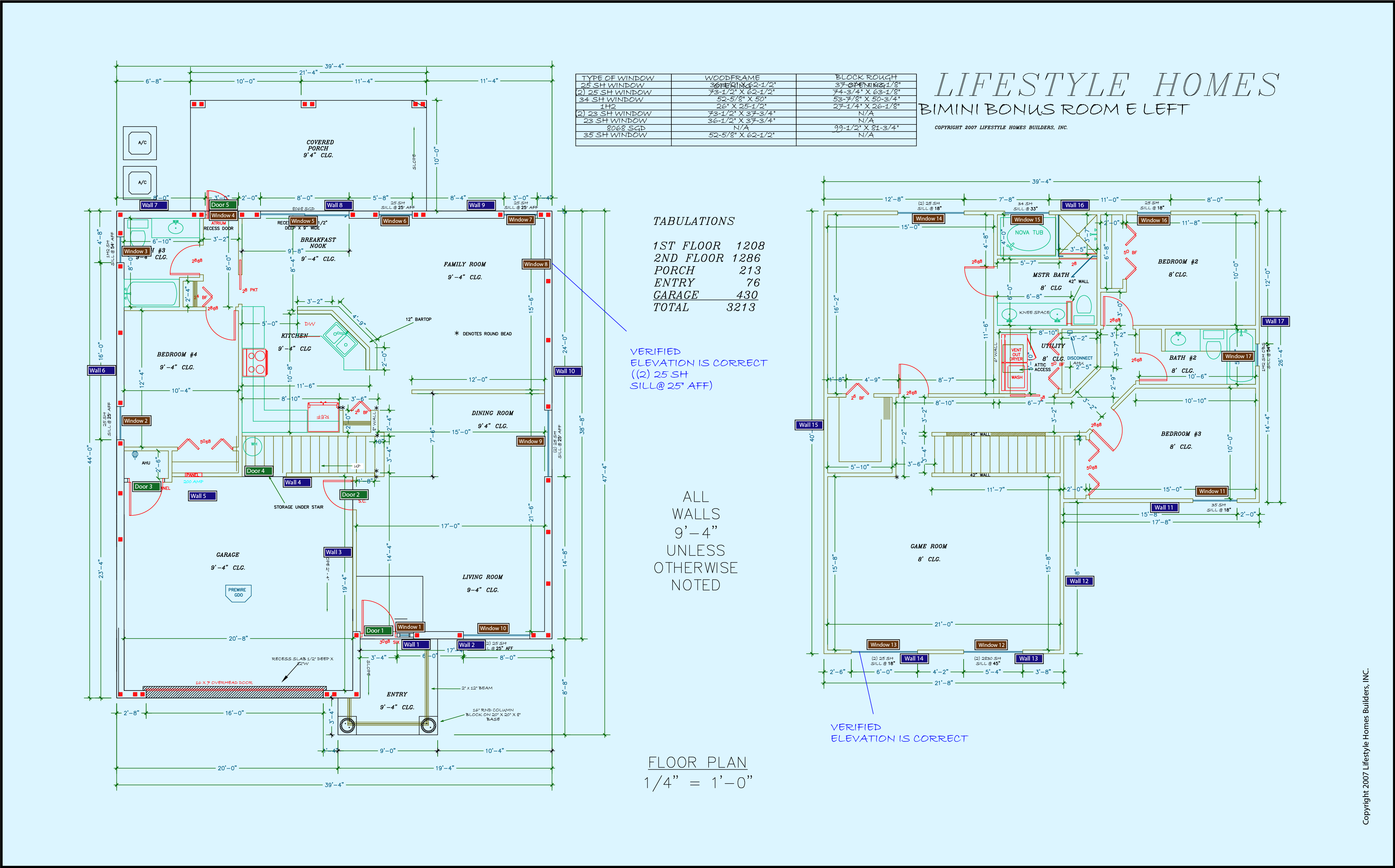
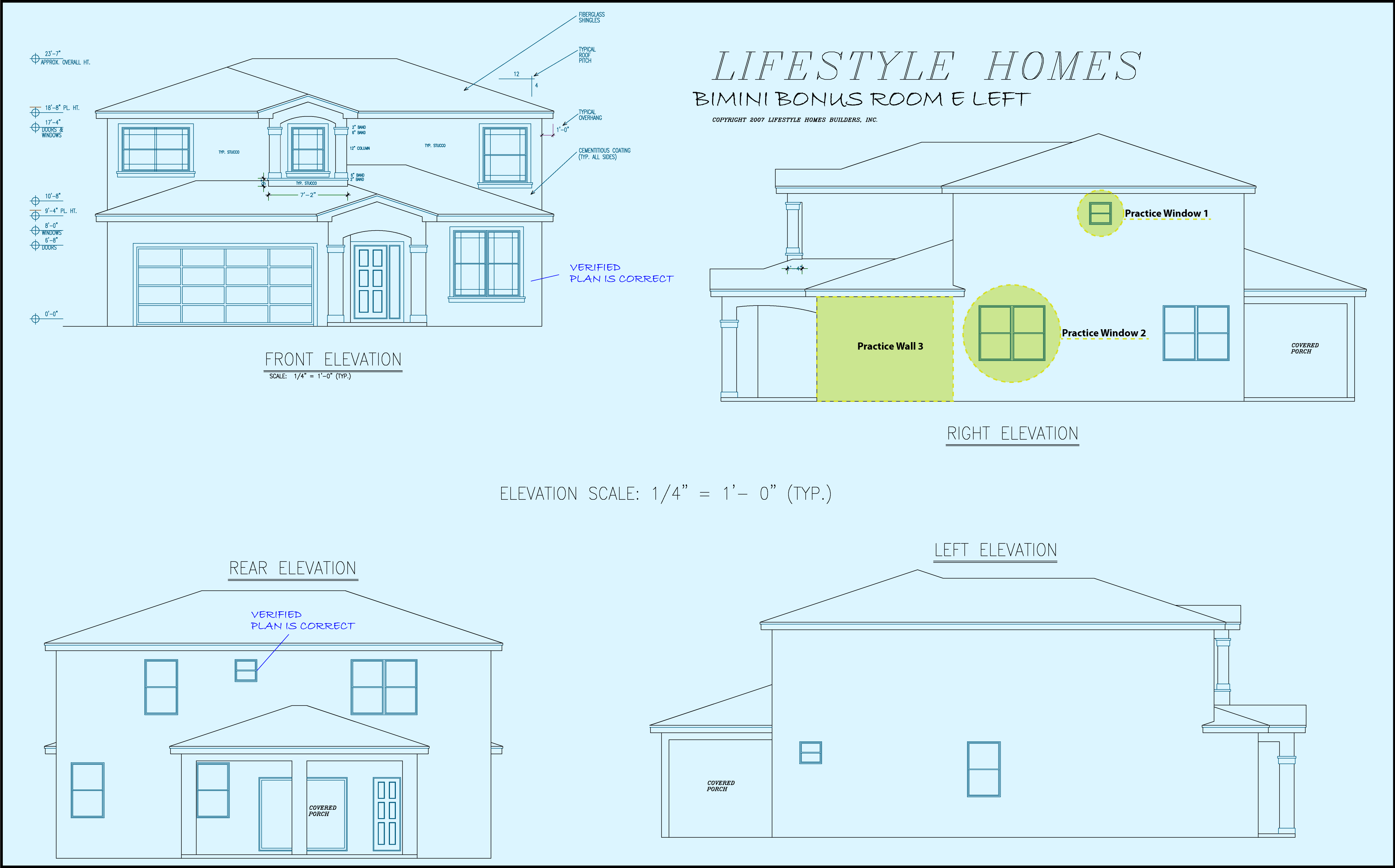
- Show the Elevations by clicking the circle next to "Elevations" below in the left column.
- Note the 3 parts of the Right Elevation labeled as "Practice" (practice window 1, practice window 2, practice wall 3).
- Measure the width and height of those elements and fill in the results into the Take-Off Sheet below.
Enter feet with an apostrophe and inches with double quotes (for example, three feet six inches would be entered as 3'6"). - To see if your entries are correct, click the "Submit" button below the Take-Off Sheet.
| Blueprint Controls | Ruler Controls | ||||||
|---|---|---|---|---|---|---|---|
| Show | Zoom | Rotate | Rotate | ||||
|
|
|||||||

Some of your calculations are incorrect.
The incorrect take-off sheet values have been indicated by red highlighting. To ensure your understanding of this section, we strongly recommend you re-measure the highlighted components and insert the updated values into the take-off sheet. Proceed to the next frame once you have successfully completed collecting data for this take-off sheet.
Congratulations!
You have correctly extracted the required data.
Click the "Complete Lesson" button below to record your progress and continue this course.