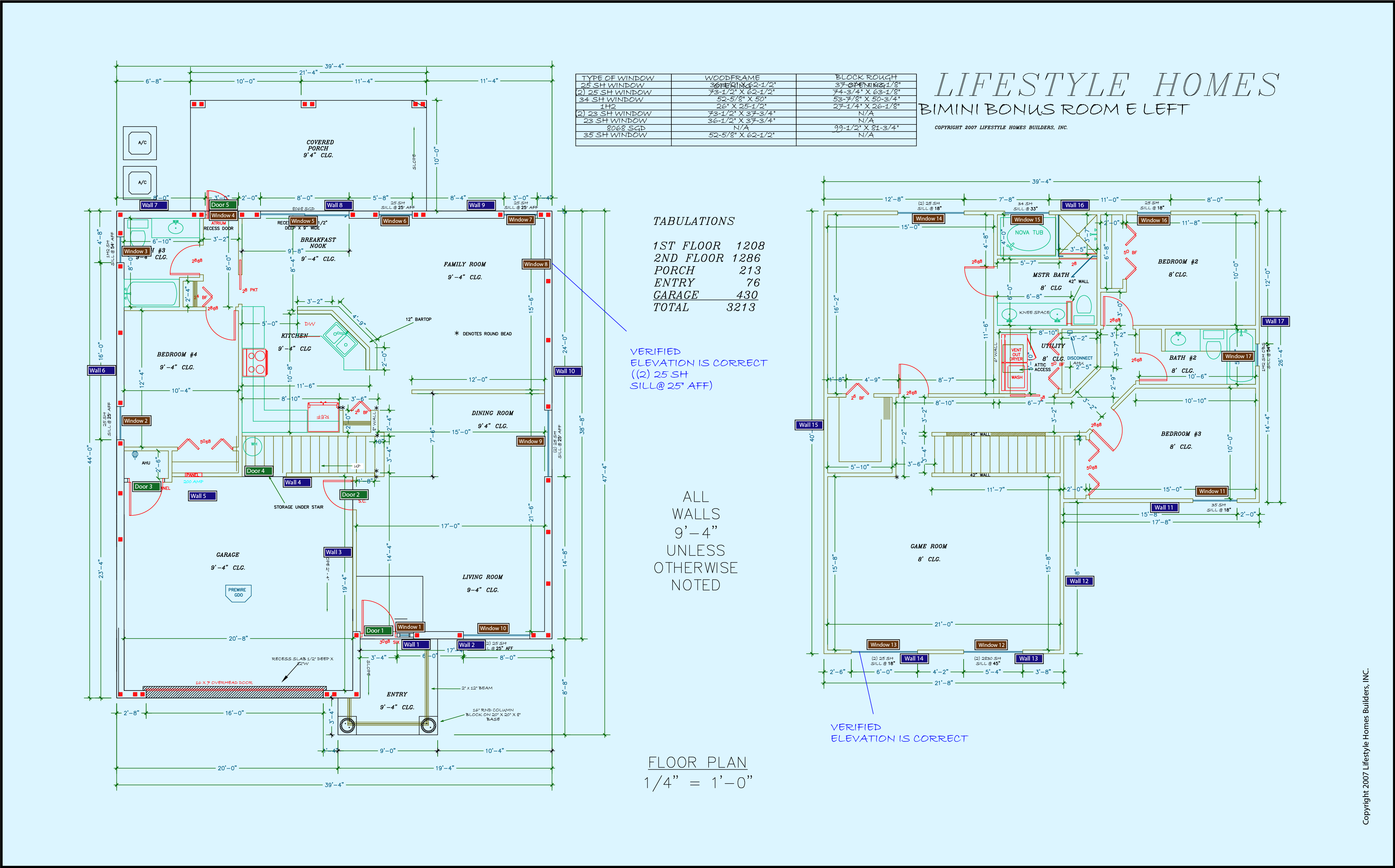
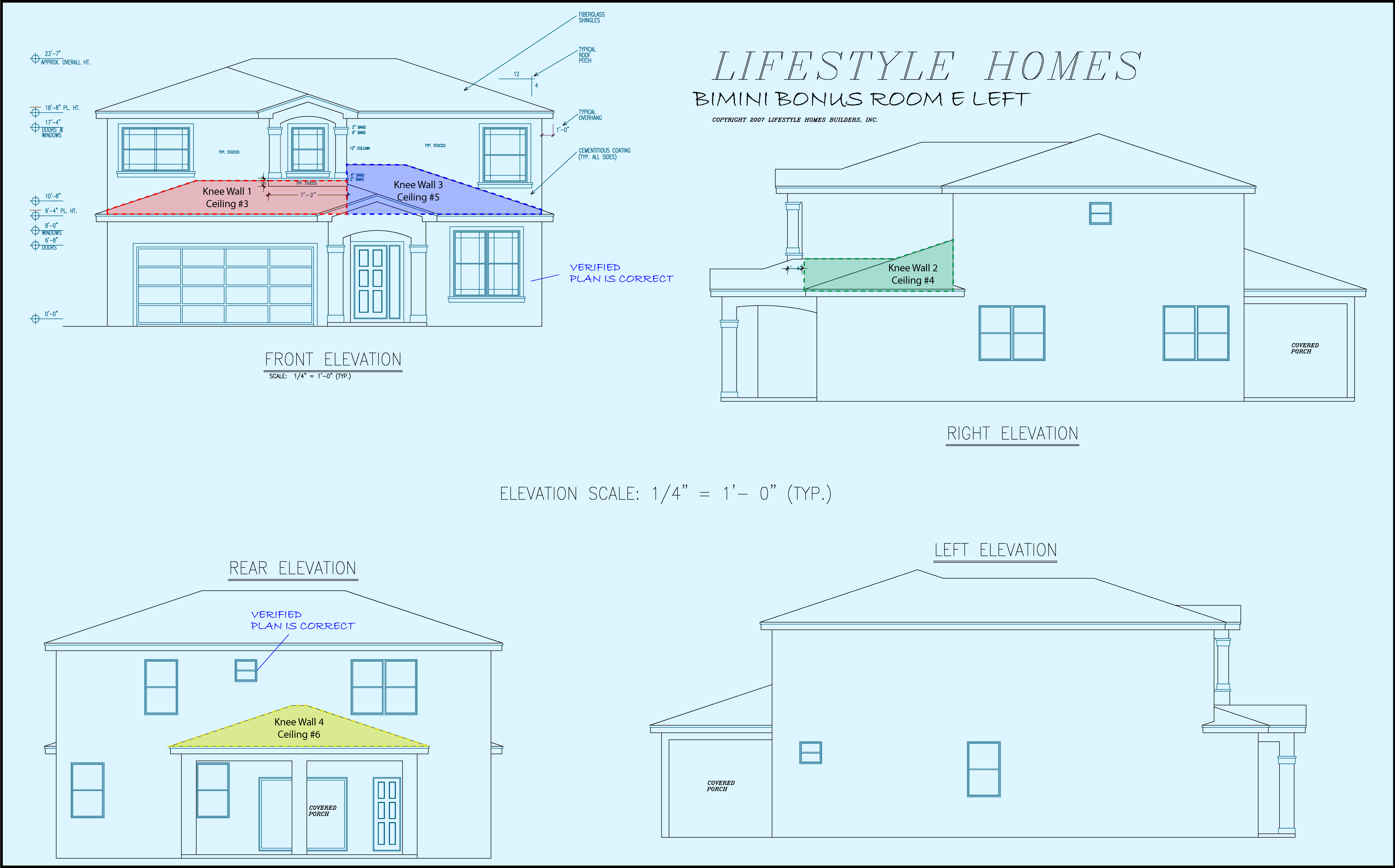
Interactive Take-off Sheet: Floors

Back to: From Blueprints to Residential Energy Code Compliance > Completing Take-Off Sheets
Blueprint Controls Ruler Controls
Show Zoom Rotate Rotate
Take-Off Sheet: Floors
Floors - 1
Type (P): Slab-on-Grade R-Value (B): 0
Comment (P): ----- U-Value (EG): -----
Area (P): Zone (P): 1st Floor
Length (P): ----- Perimeter (P):
Width (P): ----- Ins. Grade (D): Not Inspected
Tile Frac. (B): 0.2 Framing Frac. (B): -----
Wood/Vinyl Frac. (B): 0 Carpet Frac. (B): -----
Floors - 2
Type (P): Floor over Garage R-Value (B): 19
Comment (P): ----- U-Value (EG): -----
Area (P): Zone (P): 2nd Floor
Length (P): ----- Perimeter (P): -----
Width (P): ----- Ins. Grade (D): Not Inspected
Tile Frac. (B): 0.2 Framing Frac. (B): 0.13
Wood/Vinyl Frac. (B): 0 Carpet Frac. (B): -----

Some of your calculations are incorrect.

The incorrect take-off sheet values have been indicated by red highlighting. To ensure your understanding of this section, we strongly recommend you re-measure the highlighted components and insert the updated values into the take-off sheet. Proceed to the next frame once you have successfully completed collecting data for this take-off sheet.

Congratulations!

You have correctly extracted the required data.

Click the "Complete Lesson" button below to record your progress and continue this course.

Lesson tags: Interactive
Back to: From Blueprints to Residential Energy Code Compliance > Completing Take-Off Sheets